All the WELE Tools You Should Try


All of WELE's tools to support the dictation listening method that you should try.
- Listening with hints
When you start a listening exercise, you always have the choice of "Listen with hints" or "Listen without hints". For beginners, I highly encourage everyone to "Listen with hints" because your brain isn't used to processing a large amount of information while also filling in blanks at the same time. After listening with hints for a while, you can switch to listening without hints.
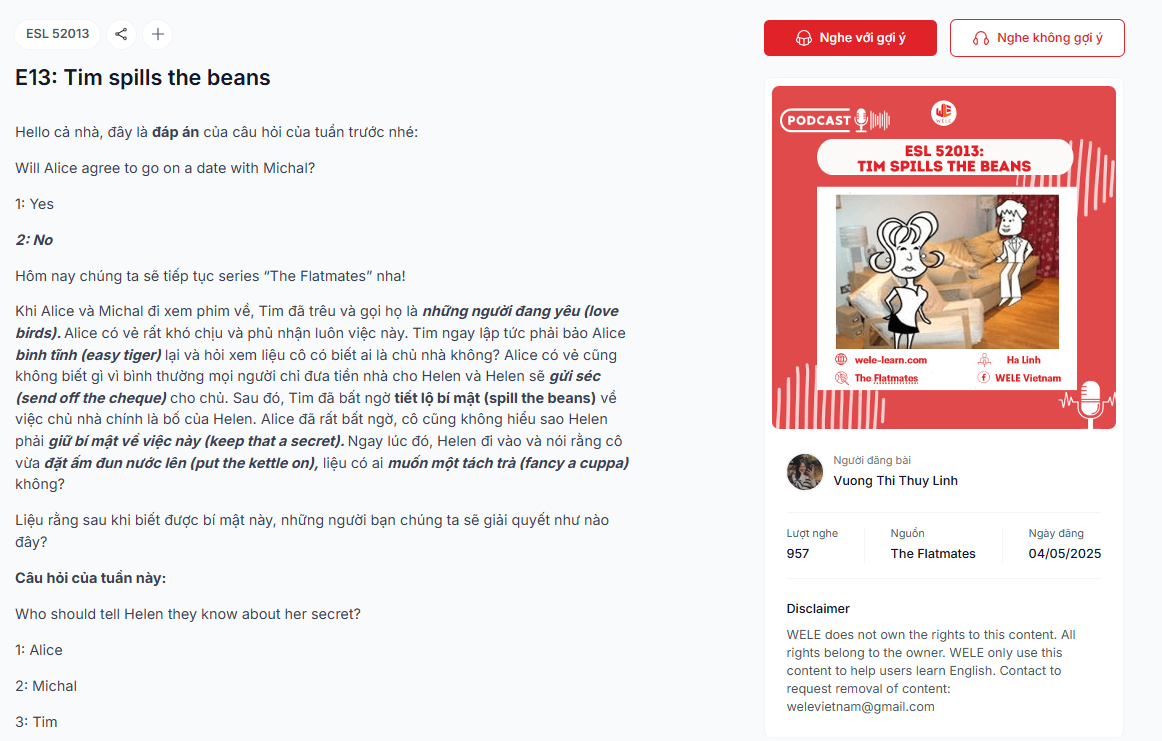
- "Try result" (free), "Show wrong boxes" (2 coins*) and "View words to fill in" (5 coins*)
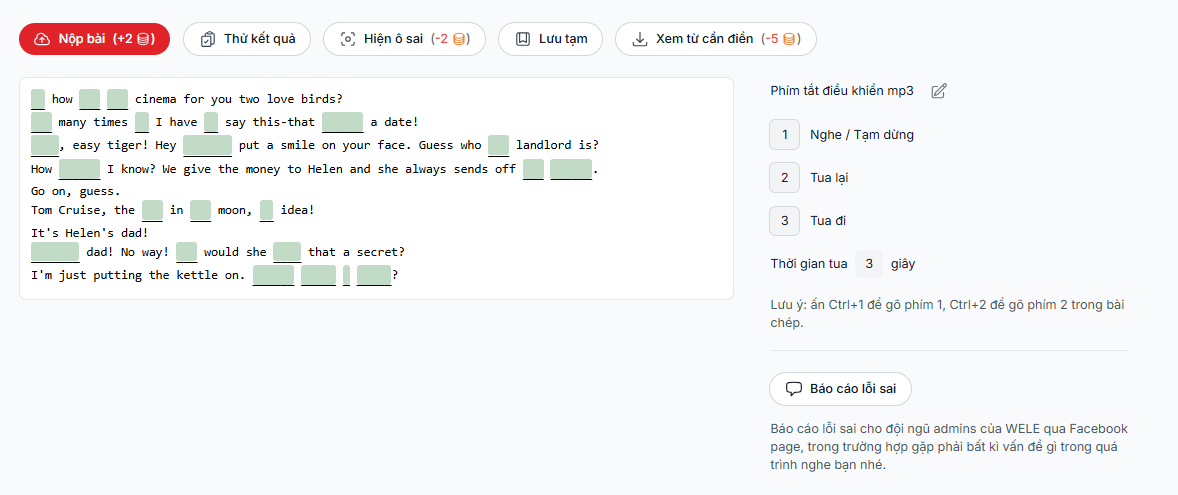
When you press "Try result" you'll know the accuracy of the passage you're transcribing
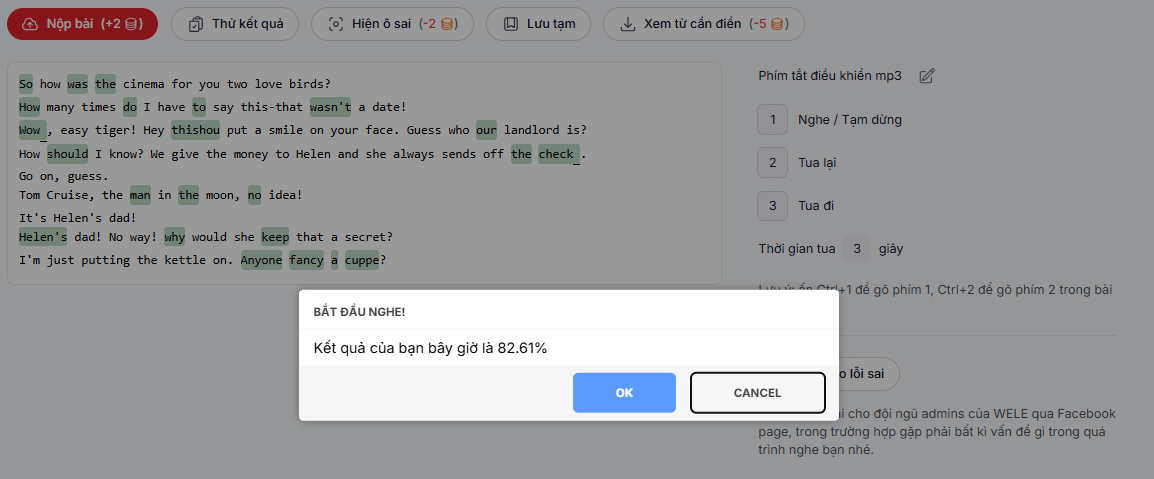
If the result is below 100%, you can press "Show wrong boxes" to find out where you filled in incorrectly. Note that the length of the blank box is exactly equal to the length of the word you need to fill in, so if the word you enter is shorter, it's definitely not the right answer. This helps you correct the mistake of missing final sounds when listening, which is a common error among Vietnamese learners.
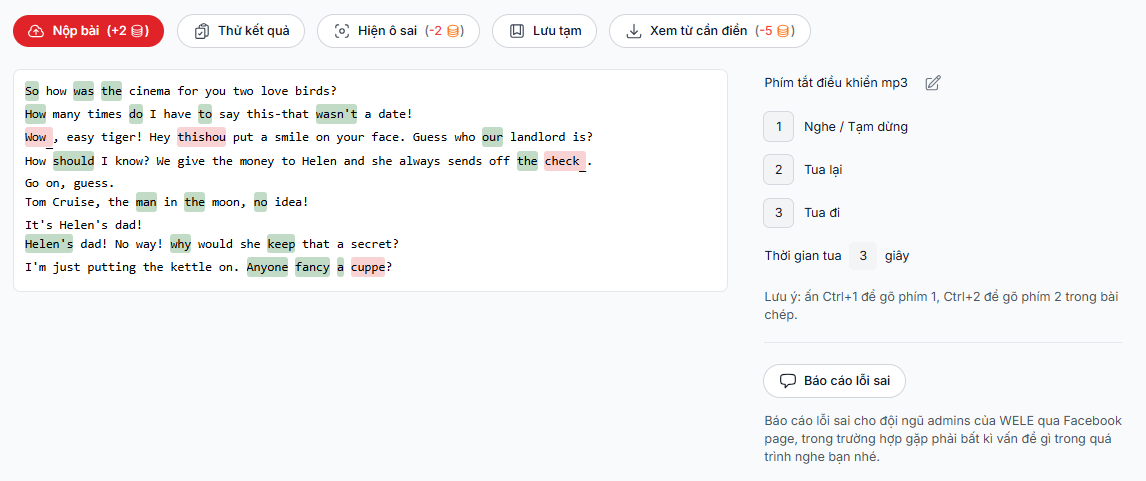
In case you can't make out the words in the passage, the program has a "View words to fill in" option. When you click on this, the website will download a list of the words needed to fill in the passage, but in alphabetical order, not in the order they need to be filled in. The program doesn't want to give you the answer right away, but wants you to try comparing the sound you heard in the passage with the words on this list, and from there work out how to fill in the blank.
2b. Control shortcuts
As you can see on the right-hand side, WELE has built an extremely effective shortcut key system that lets you switch between play/pause mode as well as rewind without using the mouse. This makes your dictation practice much more efficient.
- Automatic scoring (Free)
After submitting your answer, you'll see the correct answers as well as your listening exercise marked with errors: correctly filled-in words will show up in green, incorrect words will be struck through in red, and the correct word will be added in yellow.
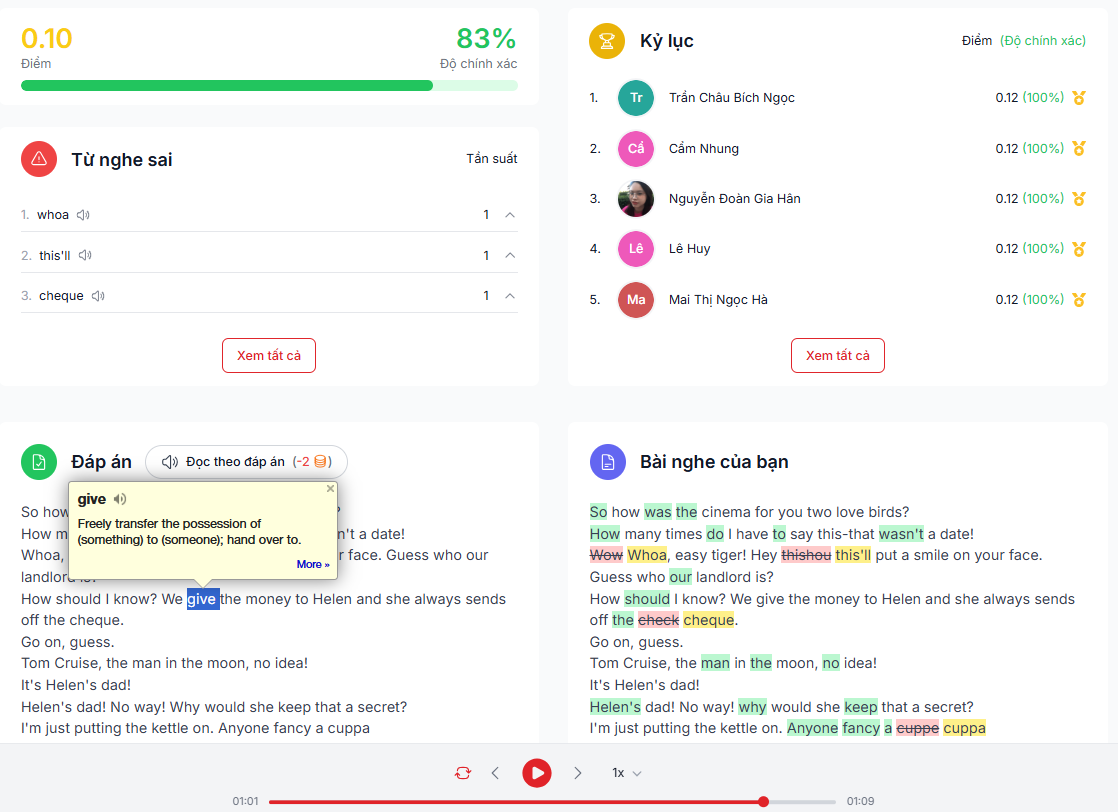
If you're using the Chrome browser, you should install the Google Dictionary Extension
With this extension, you can double-click on any word to look up its meaning and pronunciation for all the words in the passage.
- Read along with the answer key (2 coins*)
When you select read along with the answer key, whenever you click on a segment, the audio will jump to that segment so everyone can practice speaking along with it
- Achievement analysis
https://app.wele-learn.com/user/record
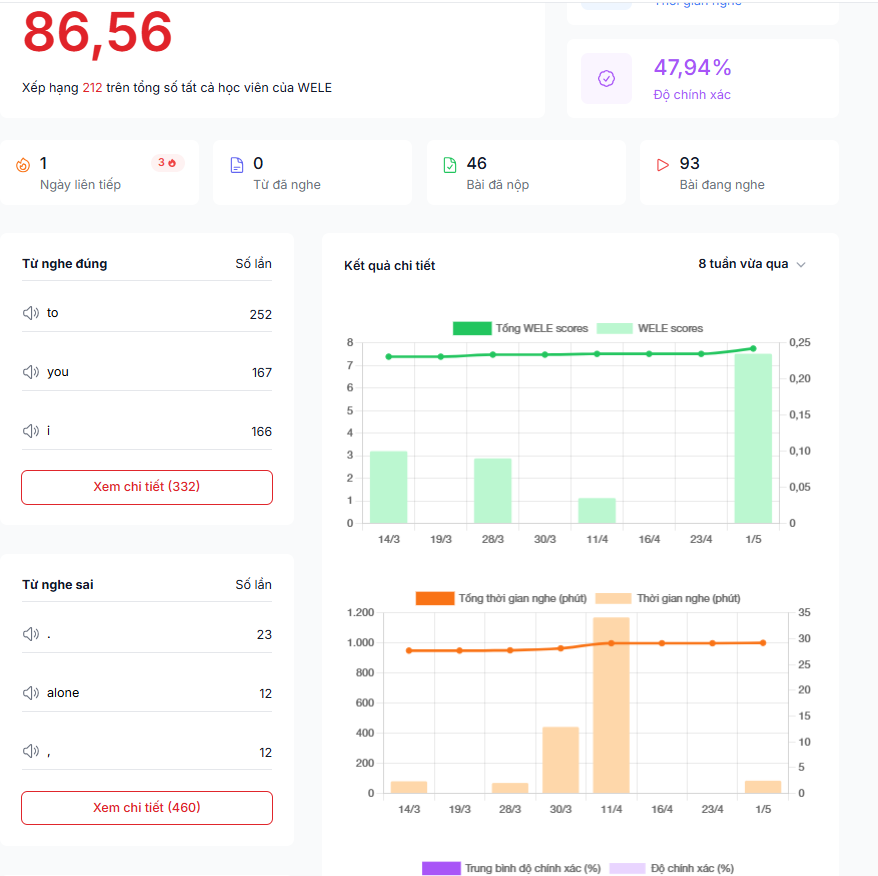
This is a feature few people pay attention to. In the achievement analysis section, you can see the amount of time as well as your score over time, the words you've mastered, and the words you frequently mishear, so you can quickly improve.
- The Coin earning and spending system
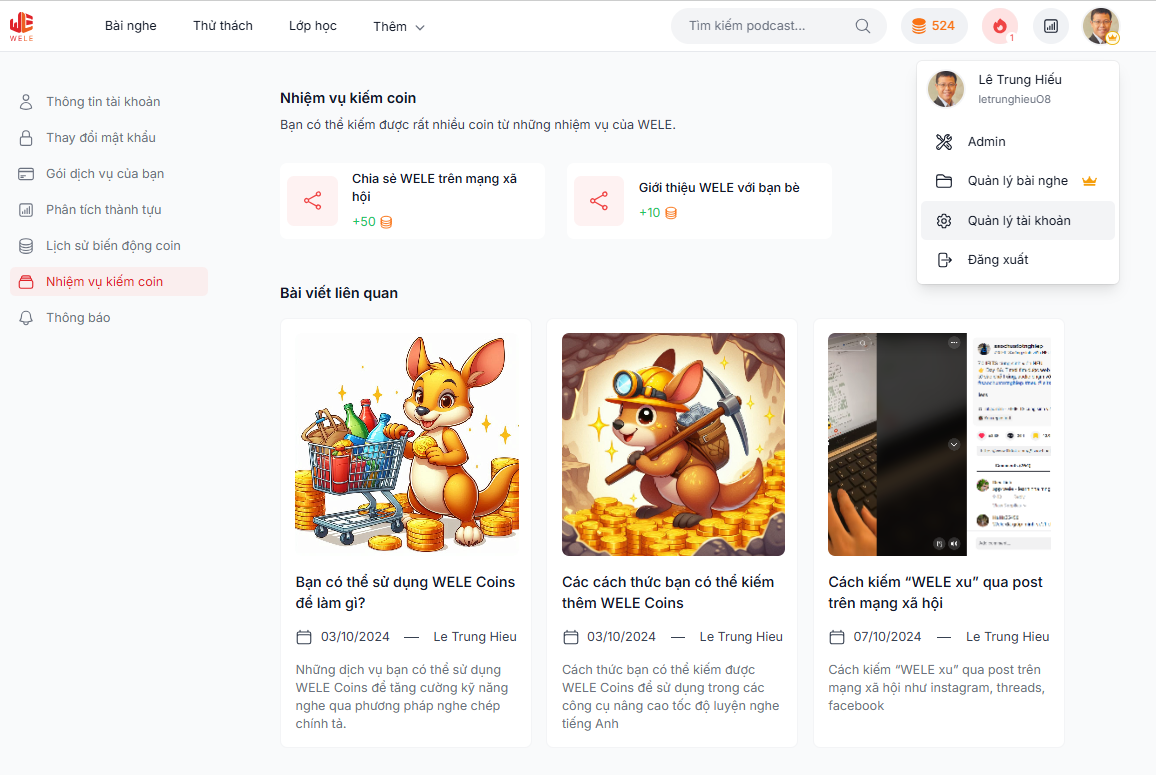
Above you saw the features that require WELE coins, and there are many ways you can earn Coins completely free. If you go to the "Account Management" section, you'll find options like "Coin Change History" to see how you've accumulated Coins, what you've spent them on, as well as ways to earn Coins
- Mobile App feature and Playlist creation (Premium Users feature)
For busy members who don't have time to open their laptop every day to listen to English, we have a Mobile App option. You can read about the benefits of WELE Premium Users at the link below and purchase the premium service at https://app.wele-learn.com/user/plans
https://wele-learn.com/blog/vi/quyen-loi-cua-wele-premium-users
