WELE Is a Teacher's Best Friend


WELE is working directly with teachers to create a toolkit that makes it very convenient to create listening lessons as well as manage students in class. WELE will help teachers minimize the time spent preparing lessons and multiply the effectiveness of teaching listening skills to students, especially through the dictation method.
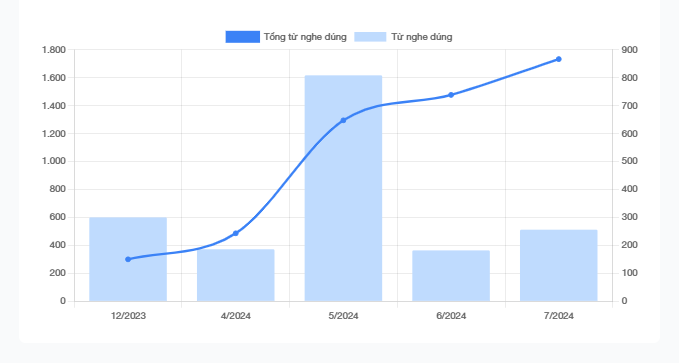
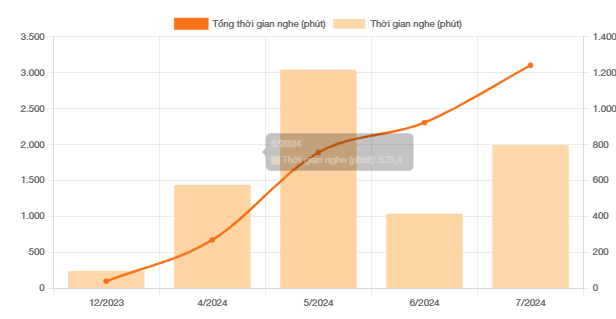
The most important question for teachers is how to measure how much effort students have put in and what they have learned from the class. WELE can provide information about the amount of time as well as the number of words that students have learned over time, and this information is the best evidence for parents of the class's effectiveness.
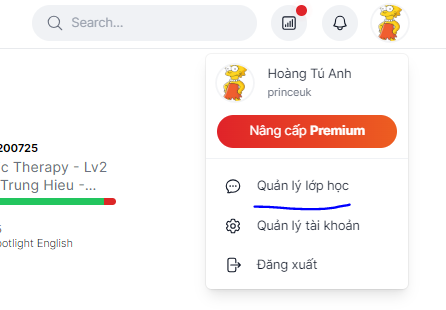
Teachers will have 2 main features: creating podcasts and creating classes. To access these 2 features, you need to click on your profile and select "Manage class". Here you will have 2 tabs: Podcasts and Classes
Podcast Feature
You can create listening lessons dedicated to your class: you can create a new one, or reuse one of the 650 listening lessons already available in the program - this will shorten the time you need to prepare listening lessons for students.
https://wele-learn.com/blog/vi/3-buoc-de-dang-bai-podcast-tren-wele
At the same time, WELE has an extremely effective fill-in-the-blank listening lesson creation tool thanks to allowing the use of results from ChatGPT. This helps teachers proactively choose words according to level (for example A2, B1, B2, etc.)
https://wele-learn.com/blog/vi/wele-cho-phep-tich-hop-ket-qua-chatgpt-trong-viec-tao-bai-nghe
Classes Feature: creating a class
You just need to Add Class and fill in information about the class name, description as well as an image
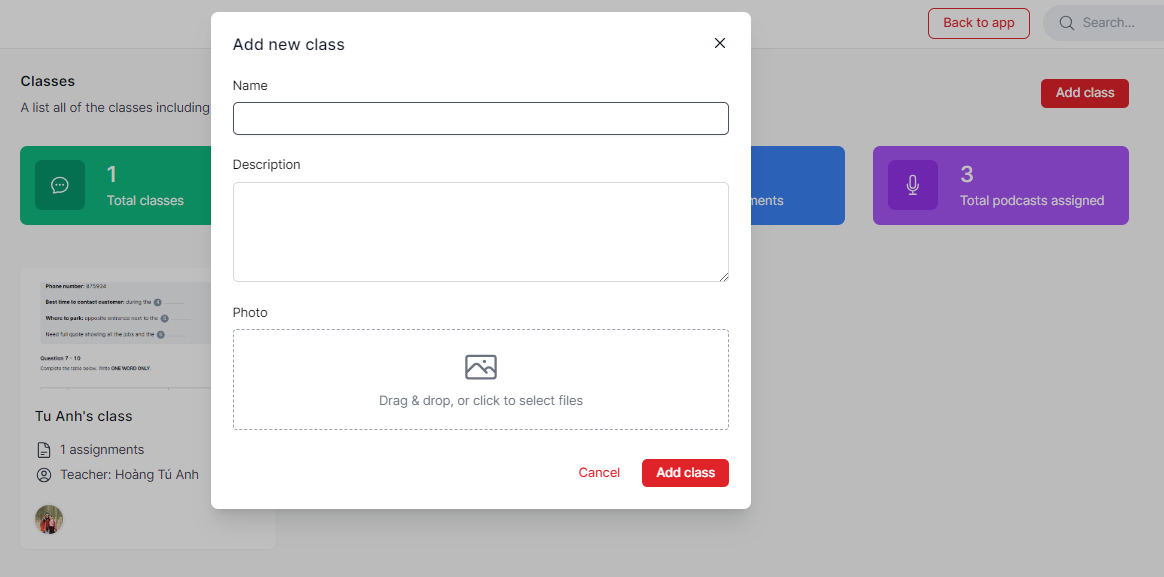
After creating the class, the next step is to add students by clicking the + sign and searching for the username/name/email of your student and creating the first assignment. Each assignment will have a deadline.
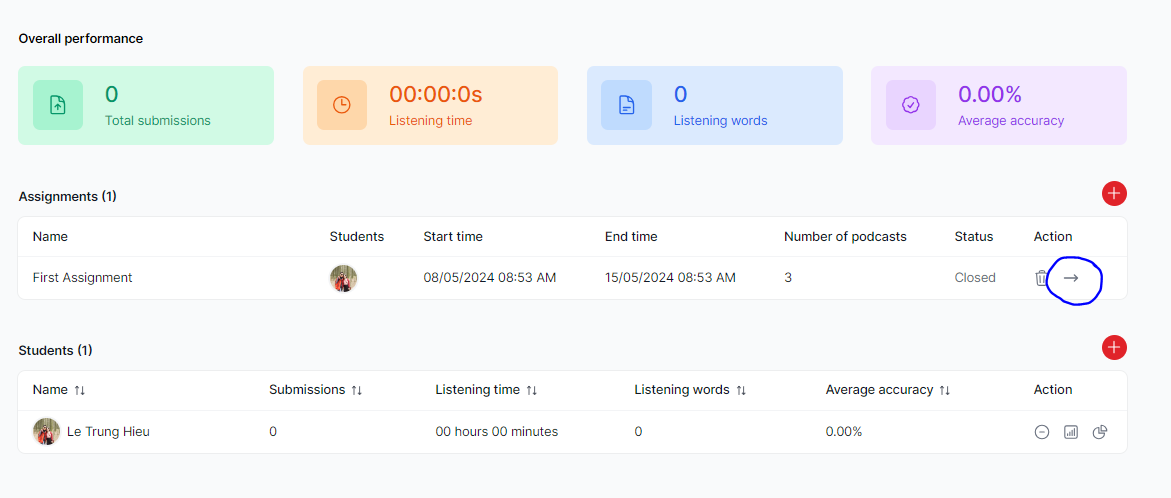
After clicking the -> of the assignment, you will provide more information for that assignment
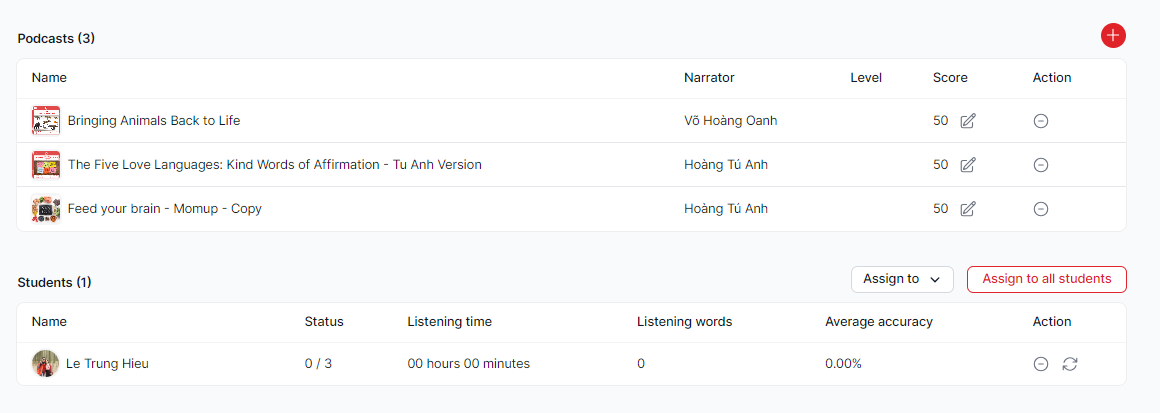
In this window, you can add listening lessons (from WELE's available lessons as well as the podcasts you create), and you can choose to assign to each student or all students.
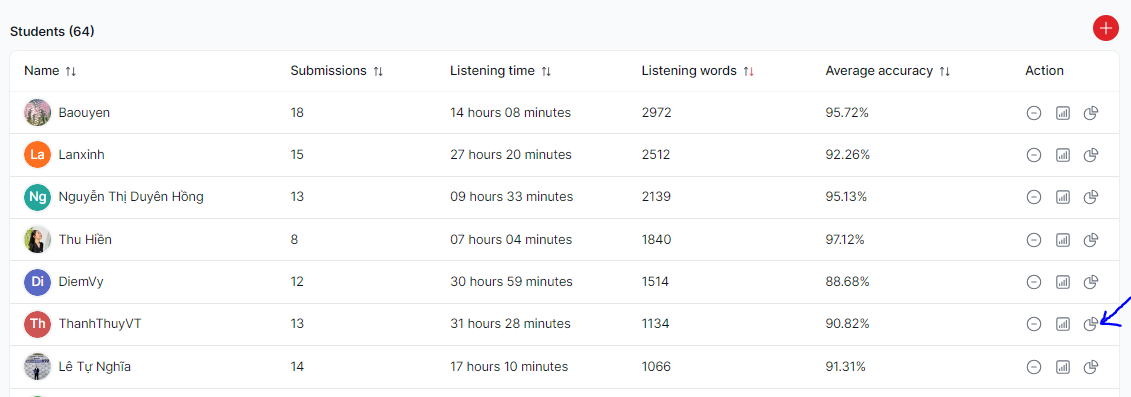
After the students submit their work, the teacher will know the amount of time they spent participating, the number of words they heard, as well as the accuracy.
In particular, when clicking the detailed report button, you can see specifically which lessons the students have listened to and how right/wrong they were
This feature is extremely useful for teachers to be able to discuss with students their strengths/weaknesses
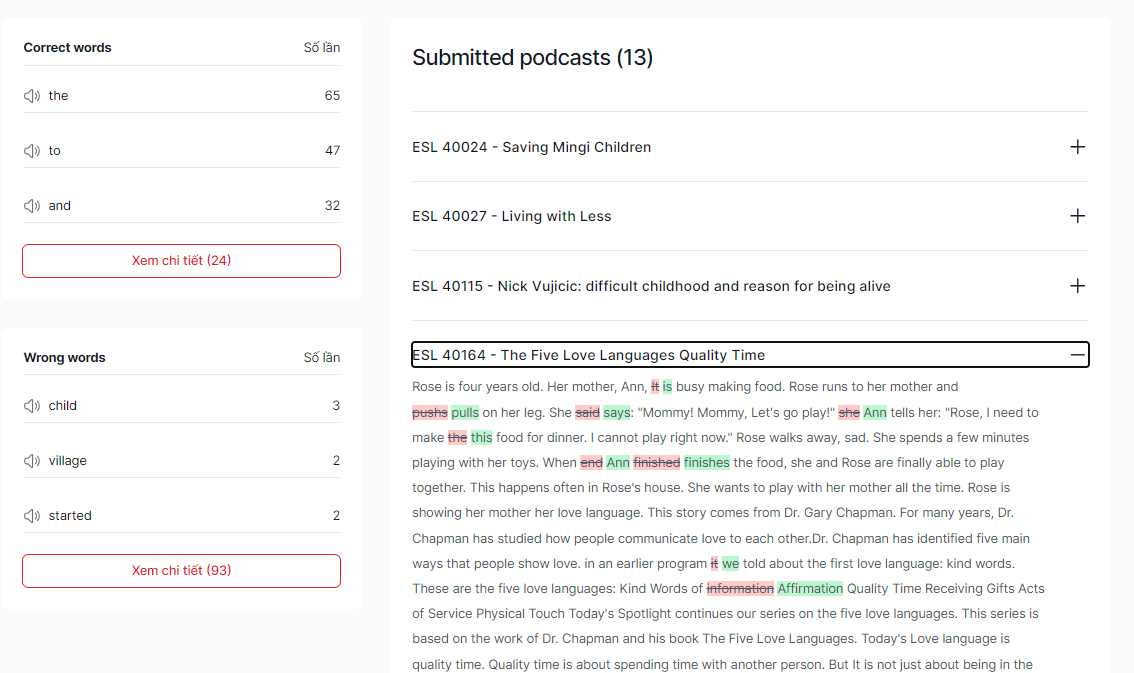
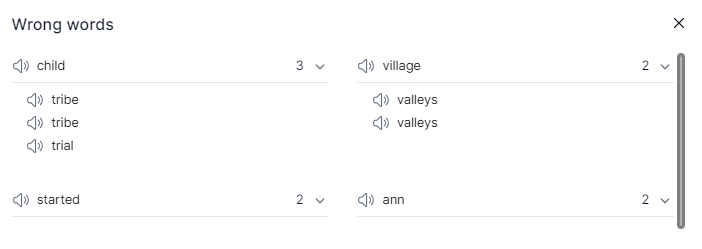
The list of words they heard wrong and what word they mistook it for
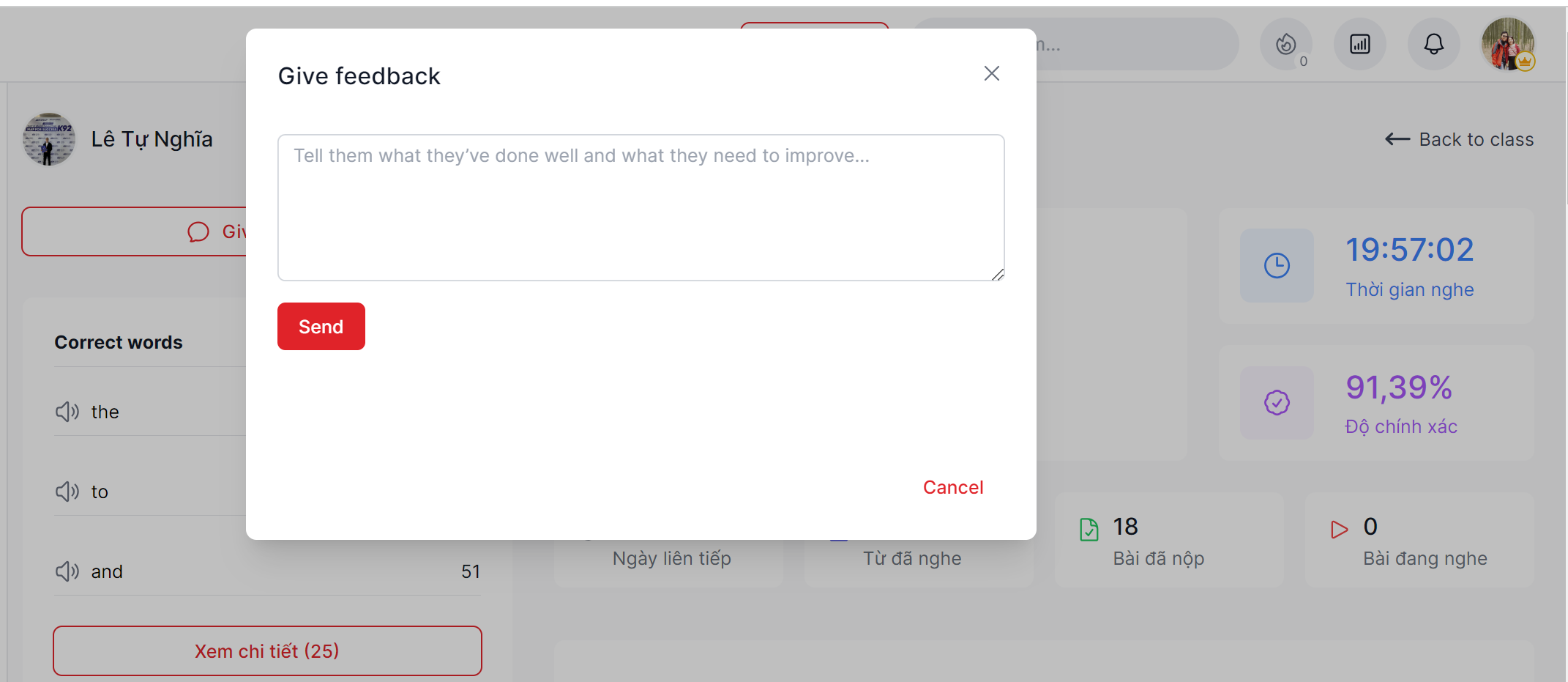
After reviewing the lessons the student has listened to, you can give feedback/encouragement to students after each week, students will see your feedback on their Class page.
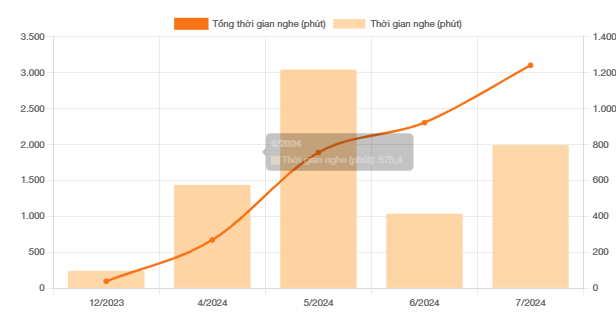
And right on this same page, you will see the amount of time the student has spent on the program as well as the number of correct words gradually increasing over time.
Class Settings
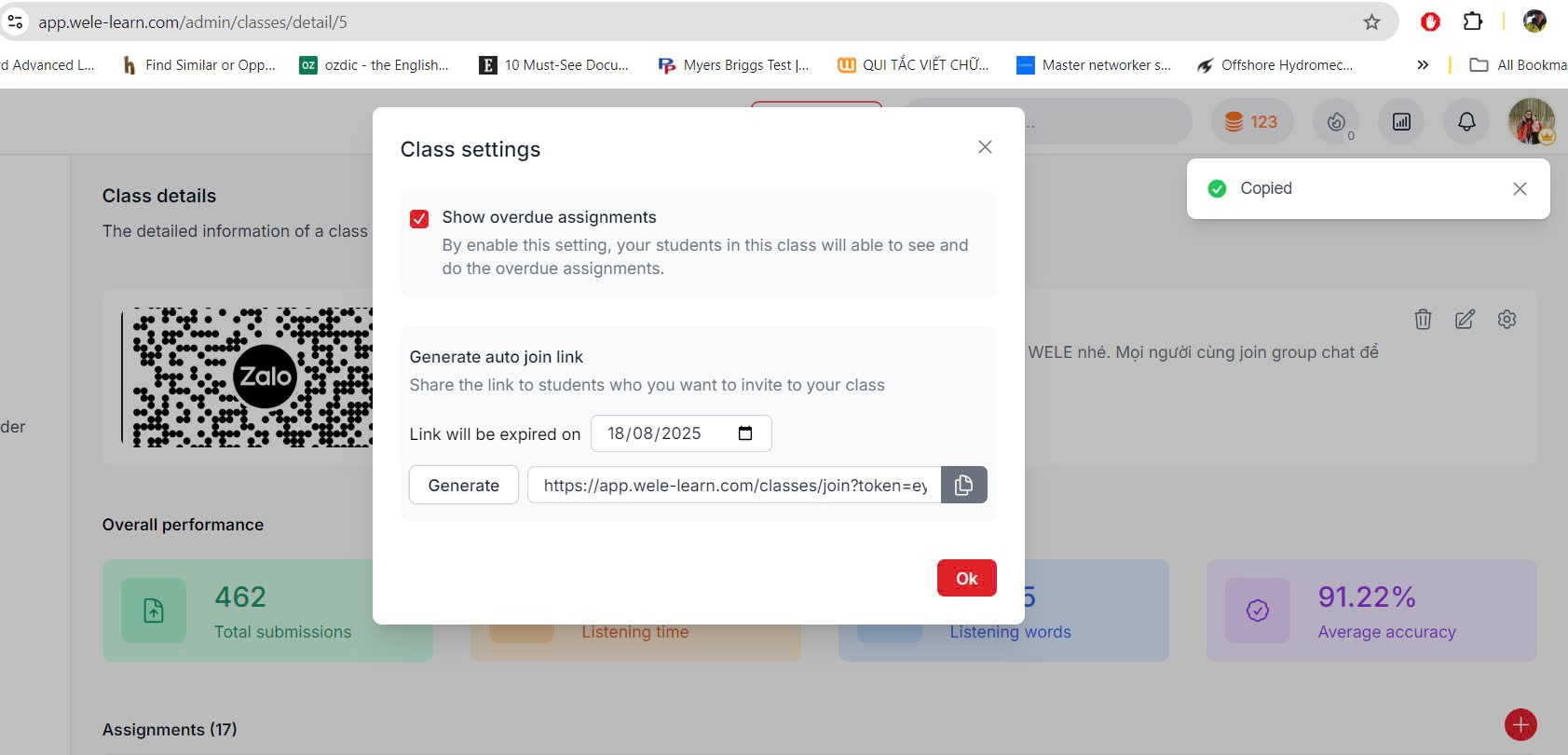
When clicking the Class's settings button, you have the option of whether to let students view the class's old assignments or not; as well as create a link so that students can join the class automatically.
Note: with this link, anyone can join the class; so for private classes, you should only leave the link valid for 1-2 days.
We really hope the article above has introduced the excellent features of WELE in creating listening lessons and managing classes. If you have any questions, feel free to comment.
Related articles:
https://wele-learn.com/blog/vi/cach-nop-bai-trong-lop-hoc-class
