How to Use Playlists for Dictation Practice


On this page
[This feature is only available to Premium Users, both on the website and on the mobile app]
Playlist is a feature that helps you create a list of the listening lessons you love, very similar to playlists on Spotify or Google Podcast. After creating a listening lesson, you'll want to build a playlist so you can listen continuously. Playlist on WELE will let you listen to lessons you've created, or to public playlists curated by the WELE team. You can turn it on on your computer/phone while doing housework, sitting on the bus, and it will increase your exposure to English — and if you listen to a lesson over and over (one you're transcribing), you'll suddenly catch a word you hadn't been able to hear before. That's an incredibly fun "Eureka" moment.
Guide to using playlist
Creating a playlist
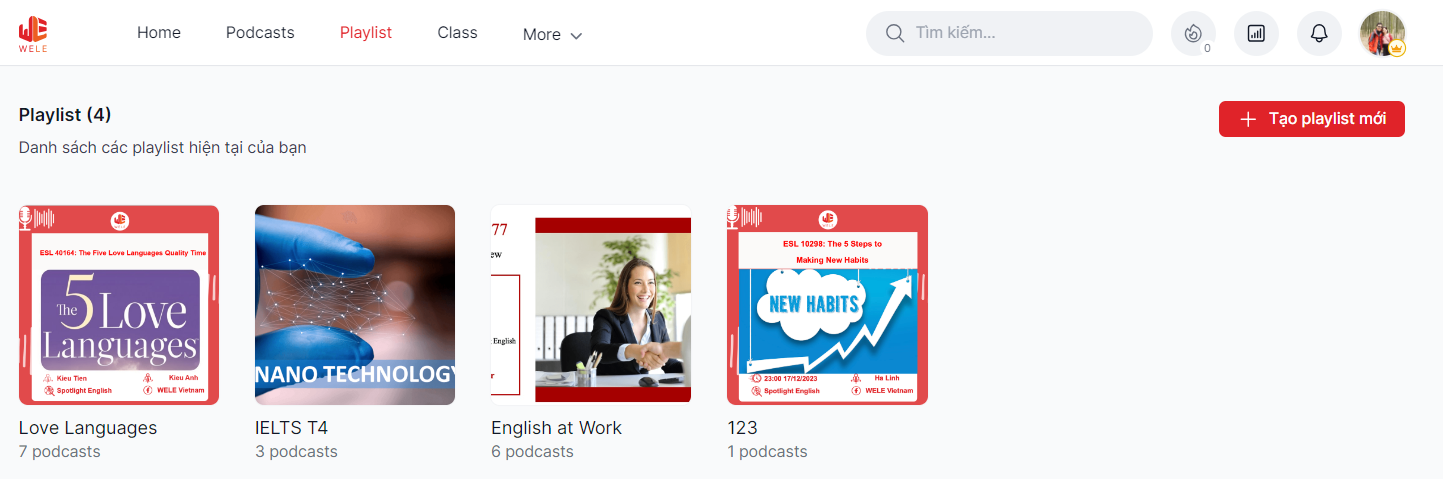
There are 2 ways you can create a playlist. First, go to the playlist tab and press create new playlist
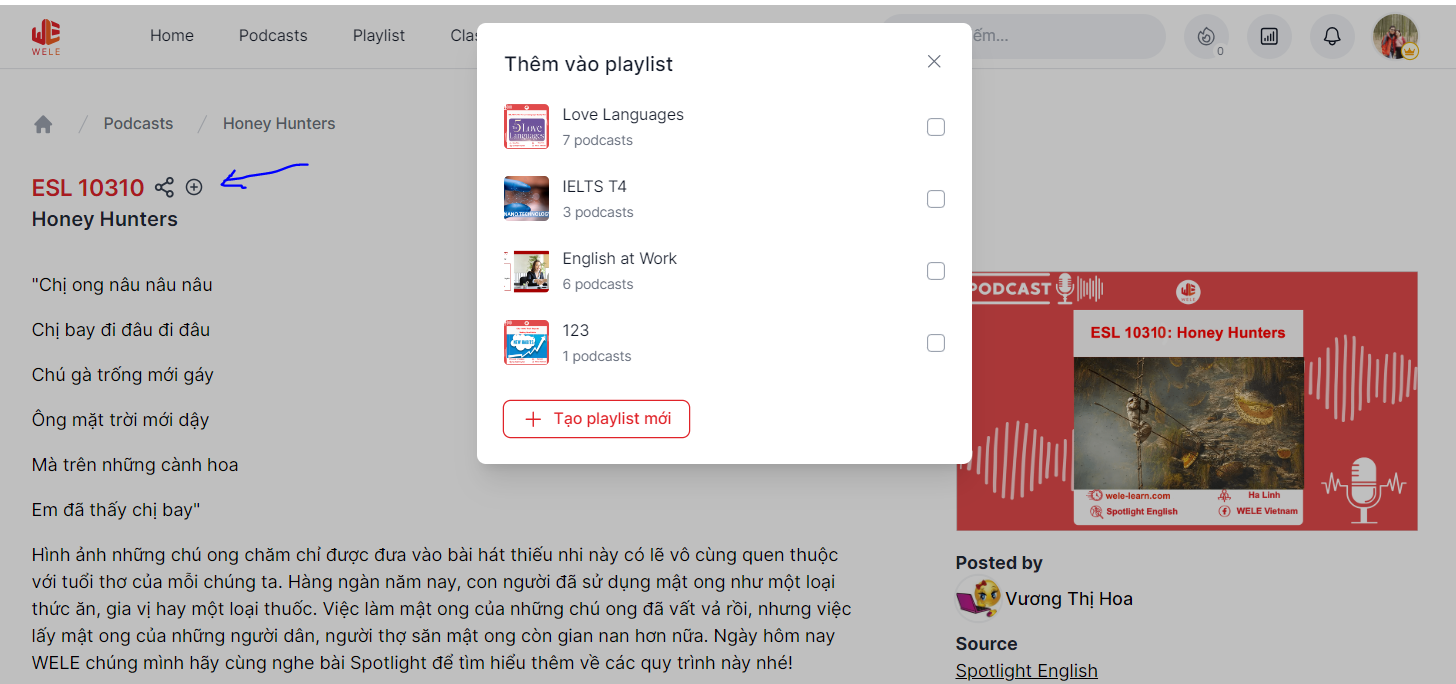
Second, you can press the (+) button next to each podcast episode, which lets you add the lesson to a playlist or create a playlist right there on the spot
Managing your playlist
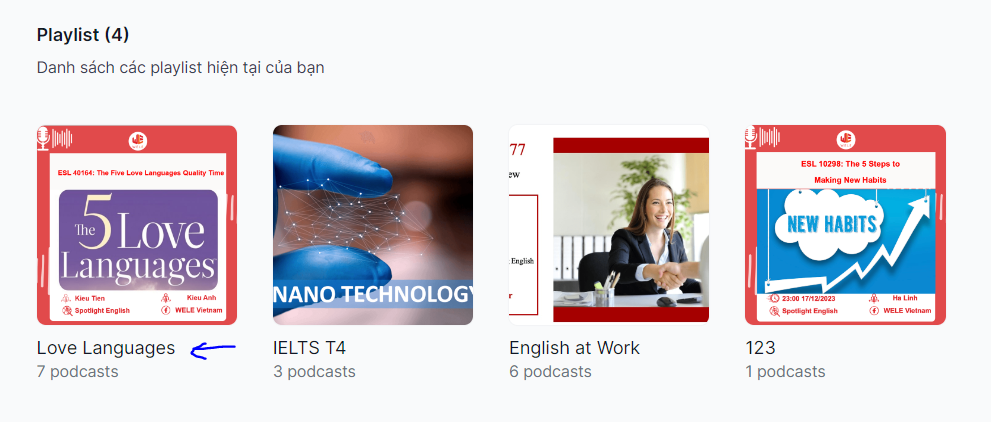
When you press on the playlist's name
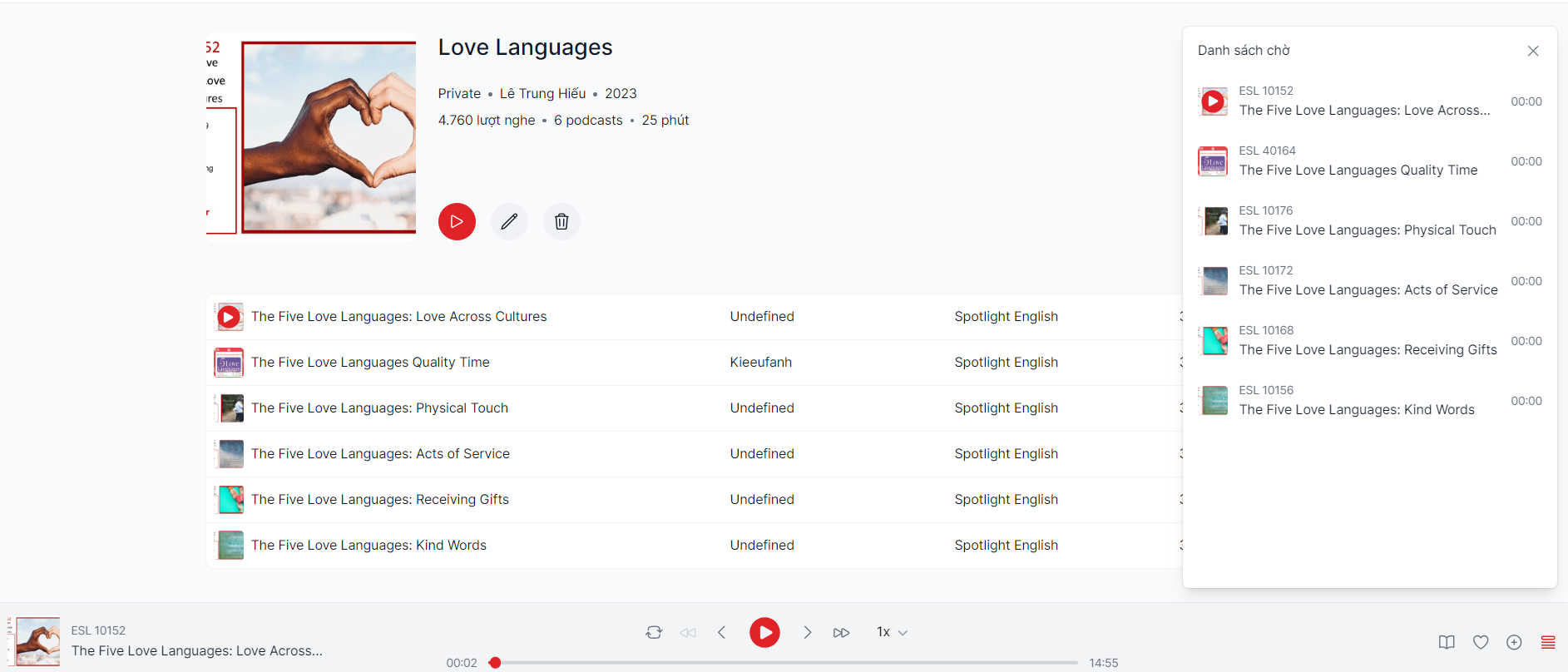
You'll open up the management page. Here you can delete and add lessons to the playlist, as well as change the order of the lessons in the playlist by clicking and dragging a lesson with your mouse to the position you want.
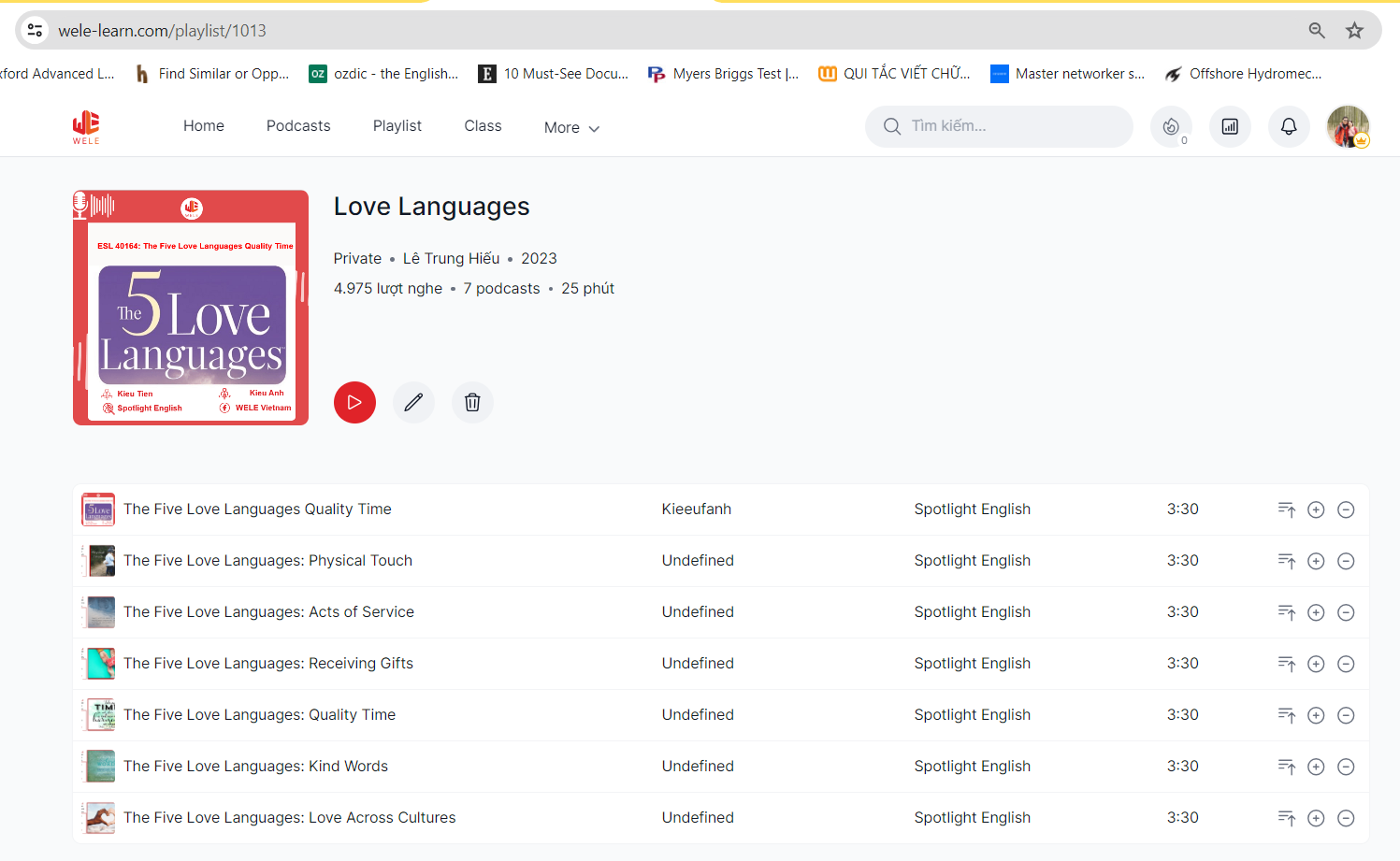
After pressing the play button, you'll see all the lessons in the playlist appear in the queue. You can click on the lessons to switch to a different spot in the lesson
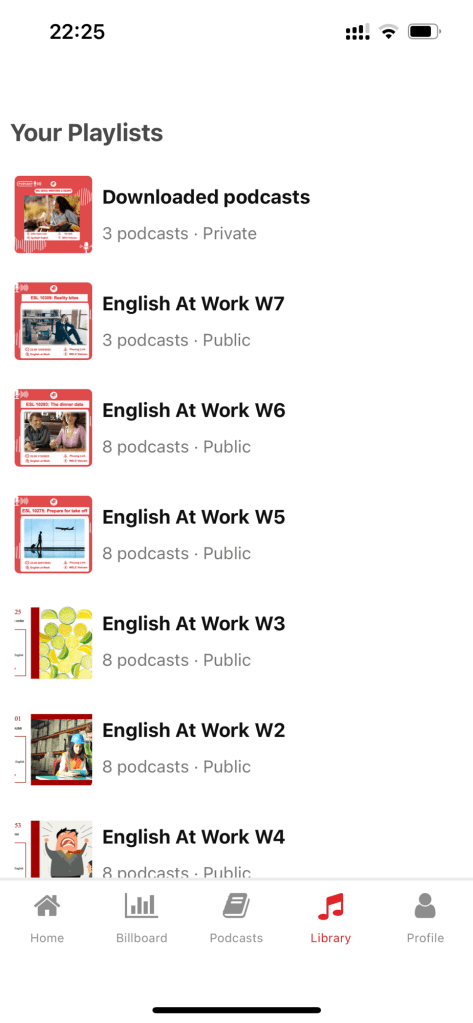
Your playlist will appear on the mobile app as a library, so you can listen anytime.
If anyone has any questions, feel free to comment.
