3 Steps to Post a Podcast on WELE


On this page
Note: This feature is exclusively for Teachers/Premium Users. Normal users do not have the ability to post content to the system.
If you want to purchase the WELE Premium Service, please follow this link https://www.wele-learn.com/user/plans
As you already know, WELE already has a library of nearly 3000 dictation listening exercises, most of which come with very detailed introductions from the WELE team to help inspire members. However, WELE's listening exercises cannot cover all of users' needs, and the difficulty of the vocabulary, as well as the number of hint words, is usually set at a level suited to the majority. As an individual, you may want to upload your own listening exercises, with topics suited to your interests or work, and with a difficulty level suited to your listening ability. This premium users feature will allow each user to create their own listening exercises, either uploaded by themselves or edited from the program's existing listening exercises.
Guide to posting a podcast
Step 1. Open the Content Management section
(For teachers, this section is called Class Management)
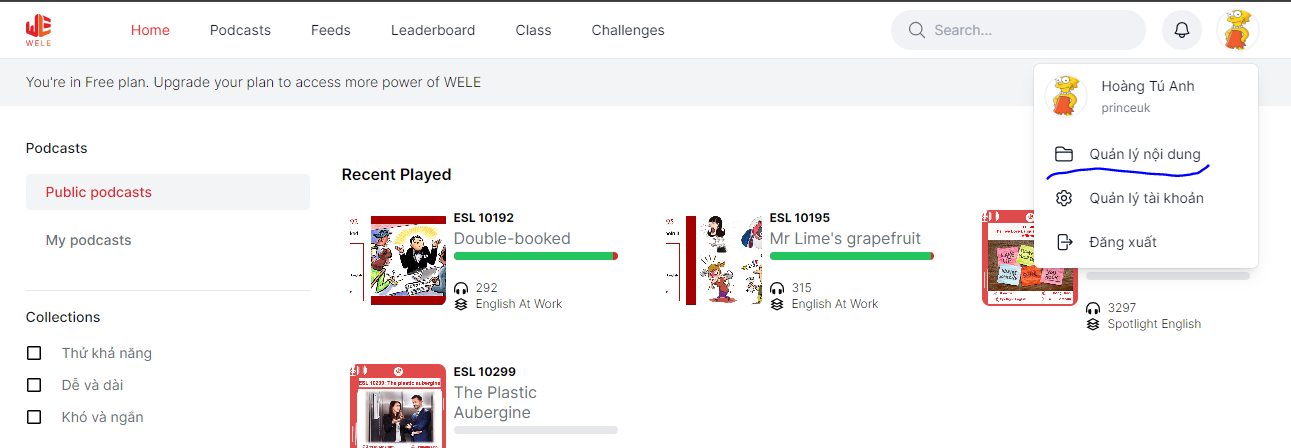
Step 2. Click the Add Podcast button
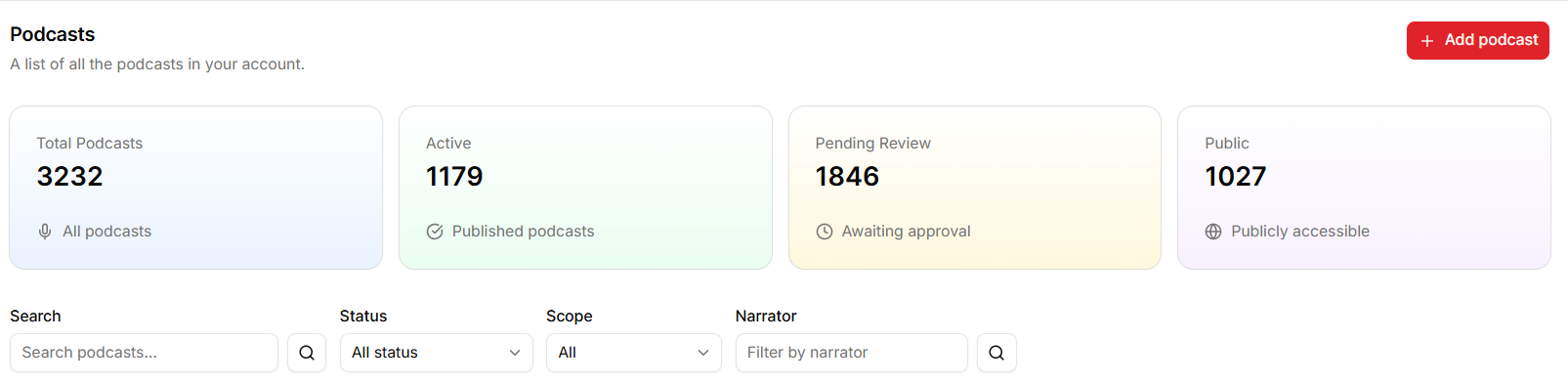
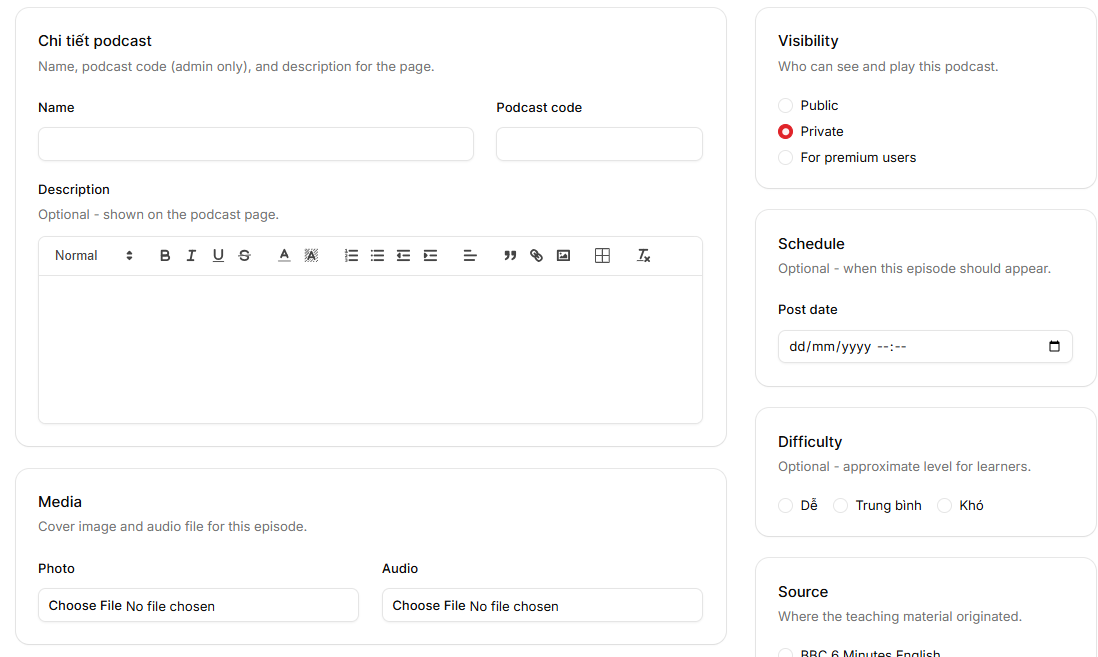
Step 3. You have 2 options when creating a podcast
- Create a podcast from existing listening exercises: this is an extremely useful function because you can reuse the 650 listening exercises that the program has selected over the course of 10 years and edit them to suit your own needs/your class's needs.
The editing function is the same as in option 2 below

- Or you can create a completely new source - You need to fill in the following information
Name (required): The name of the podcast
Podcast code: The system will automatically choose this for you, you don't need to fill it in
Visibility (required):
- "Private": the listening exercise will only be visible to you (your class will be able to see the listening exercise after you add it to the class);
- "Public": after you submit, it will still only be visible to you until the Admin approves it, at which point everyone will be able to find the listening exercise
- "For premium users": for you and premium users; after you submit, only you can see it, and once the admin approves it, all premium users will be able to see the listening exercise
We recommend everyone use "Private".
Description (not required): An introduction for the listening exercise, it doesn't need to be too long, especially if you're only posting it for yourself
Photo (not required): you need to upload an image for the listening exercise
Audio (required): you need to upload an mp3 file
Result: the answer for the listening exercise; you can create the answer yourself, or have the system use AI to generate the answer. Either way, you'll need to wait for the AI to finish the transcription.
Post date: If you set a future date, the post will only be published on the system from that date onward (usually only admins need to use this to choose the date users can view the post)
Source: If the source was created by a WELE volunteer team, set it to WELE Partners
Collections: no need to select
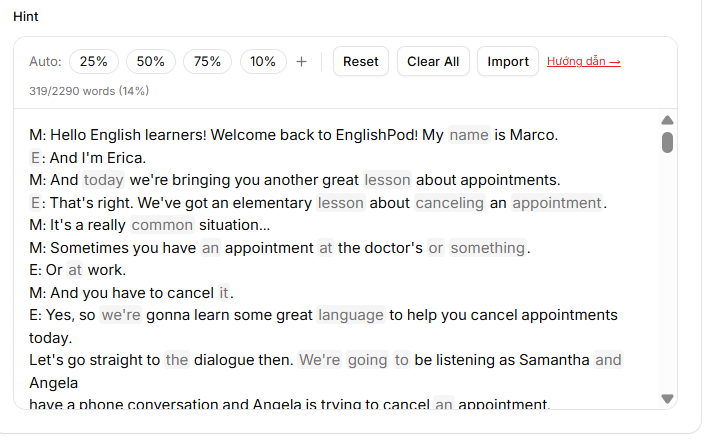
From the answer, WELE gives you 2 options for creating hints:
- Automatic option: hide 25%, hide 50%, or hide 75% of the words
- Import: you can enter a list of words you want to hide (using chatGPT to filter words by level A1, A2, B1, etc.)
- You can always click to hide/show a word; a word on a gray background is a word that will be hidden
https://wele-learn.com/blog/vi/wele-cho-phep-tich-hop-ket-qua-chatgpt-trong-viec-tao-bai-nghe
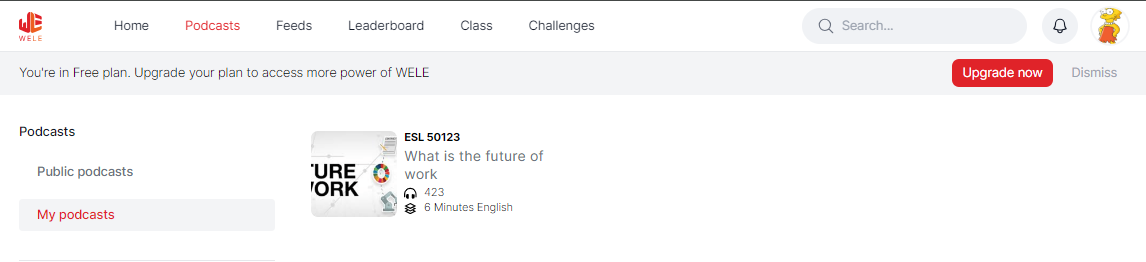
The listening exercise will appear in the "My podcasts" section on the Podcasts page after you click Publish, and will also appear on the mobile app so you can listen anytime.
If you have any questions, feel free to leave a comment.
